Suggestion
Given this incident—which was clearly a case of human error on my part—I feel compelled to offer some important suggestions to Webdock. I fully acknowledge that this was my own mistake and stemmed from my own actions.
However, I want to share these suggestions to ensure that other Webdock users do not experience the same misfortune I did—even though I realize such an issue is unlikely to happen to someone who is meticulous and an expert in this field.
As someone who is not yet an expert and perhaps lacks meticulousness in this area, here are the suggestions I can offer to help prevent this in the future:
First, regarding the section at https://app.webdock.io/en/dash/shellusers/{username} (Existing Shell Users): if a user attempts to delete an existing shell user, please provide a more prominent warning. Clearly explain the consequences of this action within the Webdock interface. I deleted the user intentionally but without realizing the risks or the disaster that would ensue, as there was no warning provided in the Webdock UI.
* UpdateSorry its my mistake
please adding red color on that warn sir if someone click delete for existing users, i am not notice that, I am just newbie guys that save important files & service from user folder
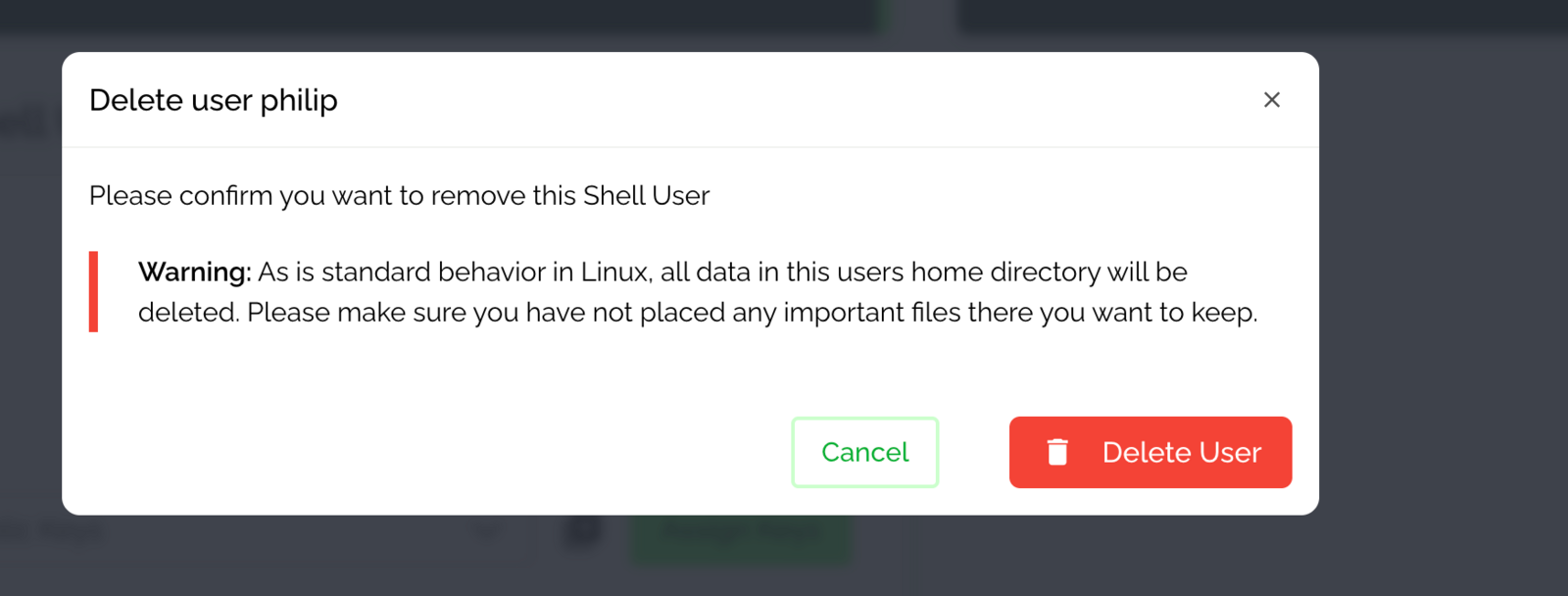
Second, when an "Existing Shell User" is deleted, please have the system create a backup of that user's folder. This way, if a user accidentally deletes the account, it remains possible to restore the username along with the associated files and folders.
Third, please provide a feature to extract specific files from snapshots. Snapshots shouldn't just be for full system restores; users should be able to access the file contents and retrieve specific files that might be useful in situations like the one I am currently facing.
its not my complains, its just suggestion
Regards
castipo
Status: Closed
Log in to comment and vote
No comments yet
Be the first to share your thoughts.